Reverse alpha blending vs AI inpainting: why the Gemini logo can be removed exactly
Most watermark removers repaint the area with AI. The Gemini sparkle can instead be calculated away. Here’s the maths, in plain language.
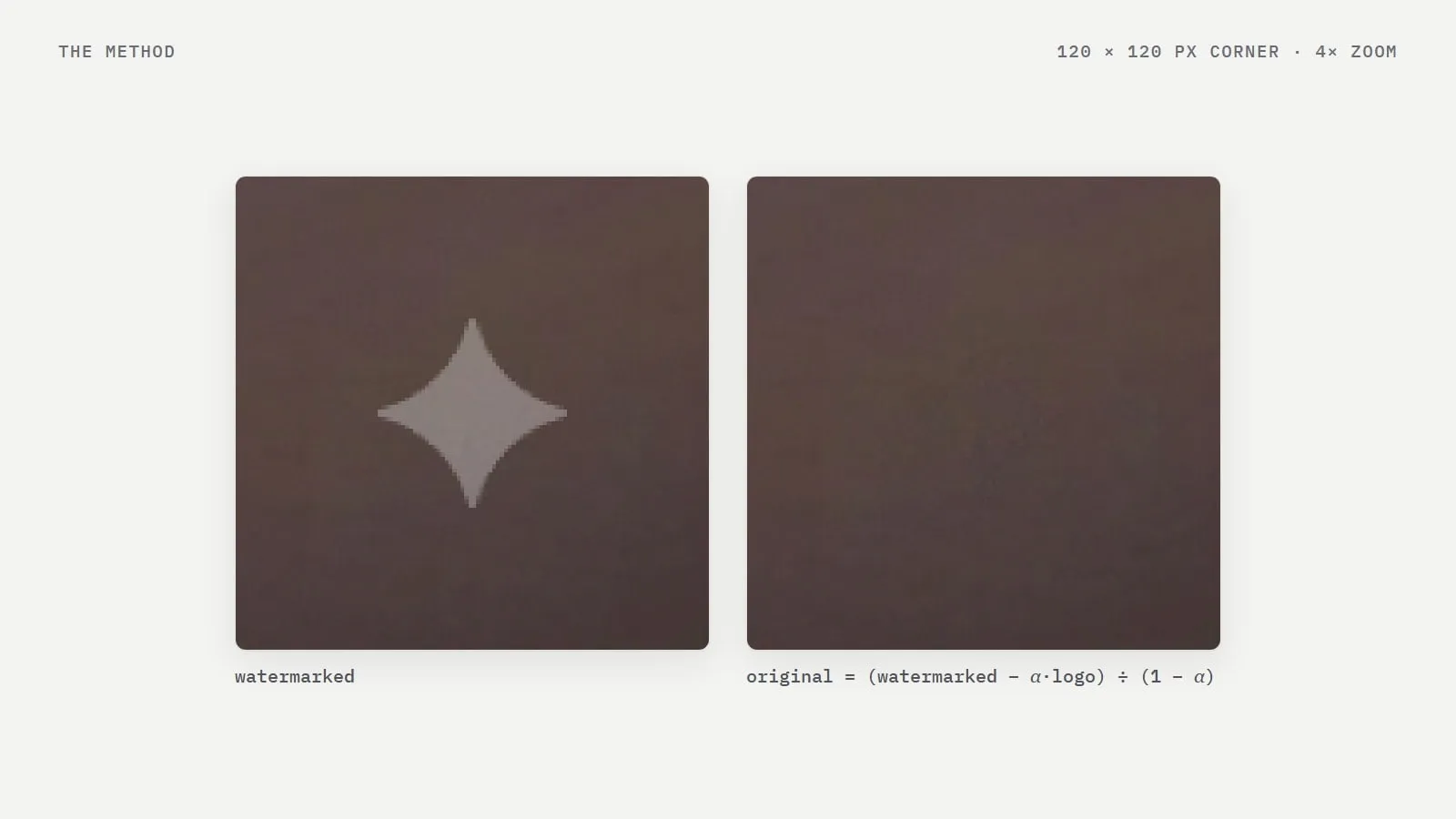
There are two very different ways to get rid of a watermark. One paints over it; the other works backwards from how it was added. For the Gemini sparkle the second is possible, and it's why the result can be exact.
How Gemini adds the watermark
Gemini doesn't stamp an opaque logo onto your image. It blends a white sparkle into the corner using an alpha map: a grid of transparency values that says, pixel by pixel, how much white to mix in. Near the edge of the sparkle only a little white is added; in the middle, more.
watermarked = α × logo + (1 − α) × originalHere α is the transparency value for that pixel (between 0 and 1), logo is the logo's colour (white) and original is the colour the pixel had before.
Running it backwards
If you know α and the logo colour for every pixel — and for the Gemini sparkle they're known — only one unknown is left, so you can solve for it:
original = (watermarked − α × logo) ÷ (1 − α)This is reverse alpha blending. It doesn't guess: it recovers the value each pixel had before the logo was mixed in, give or take rounding.
How AI inpainting differs
AI erasers treat the logo as damage. They mask the area and ask a model to fill it with something that looks plausible from the surroundings. That's useful for logos that completely cover what's underneath, but it means the model invents the content. On fine textures — fabric, hair, grass, text — the patch often looks smudged or subtly wrong.
Reverse alpha blending | AI inpainting | |
|---|---|---|
What it does | Calculates the original pixels | Paints new, plausible pixels |
What it needs | The exact watermark shape and transparency | Only a mask of the area |
Detail under the logo | Comes back | Is guessed |
Pixels changed | Only those under the logo | The whole masked area |
Works on | Known, semi-transparent marks like Gemini's | Any logo or object |
Where it gets harder
The maths assumes the image hasn't changed since Gemini added the mark. Heavy compression, resizing or filters alter the watermarked pixels, so the inverse can leave a faint outline. Where the logo is nearly opaque (α close to 1), small errors get amplified. That's why our engine checks its own result and tells you when a faint trace may remain instead of hiding it.
Video is the extreme case, because every frame is compressed. The video tool therefore adds a small cleanup model around the edges of the mark after reversing the blend.
See it for yourself
The image at the top of this page is a real 120 × 120 pixel corner of a Gemini image, before and after, magnified four times. The home page has an animated example on another real image, where 4,634 pixels changed inside the watermark box and none outside it.
Frequently asked questions
- Is reverse alpha blending AI?
- No. It is a direct calculation that undoes the blend Gemini used to add the logo. No model is involved and nothing is guessed.
- Why can’t every watermark be removed this way?
- It only works when the watermark’s exact shape and transparency are known and the image hasn’t been edited much since. For unknown or opaque logos, inpainting is the only option.
Written by
Gemini Watermark Remover AI teamEditorial team
Our guides are written and tested by the people who build the watermark remover. Every number in them comes from running the tool on real Gemini images.